Testing GroupBys, Joins and StagingQuerys
This doc assumes that you have already a GroupBy, Join, or StagingQuery created that you wish to test.
Compile
Compiling takes your python files, validates them for correctness, and produces serialized files that you can use in futures steps.
From the root of the main Chronon directory, run:
zipline compileThis will show you errors if there are any in your definitions, and show you changes.
Note, if you are making a change to any existing entities without changing the version it will prompt you with a warning.
Eval
Before running expensive backfill jobs, use eval to quickly validate your configuration. Eval checks that:
- All source tables exist and are accessible
- Column names and types match your configuration
- Query syntax is valid (for StagingQueries)
- Derivations compile and type-check correctly
- Dependencies between configurations resolve correctly
Prerequisites
Set EVAL_URL in your team's env.common in teams.py so zipline hub eval knows where to reach the eval service. For example:
default = Team(
    conf=ConfigProperties(
        ...
    ),
    env=EnvironmentVariables(
        common={
            ...
            "EVAL_URL": "https://your-hub.zipline.ai/services/eval",
        },
    ),
)
Without this, eval invocations will fail to dispatch to the eval service. The CLI also accepts --eval-url as a one-off override.
Quick Schema Validation
The most common use case - validate your configuration without running any computations:
zipline hub eval compiled/joins/{team}/{your_conf}This will show you the output schema, lineage, and catch configuration errors early. Example output:
🟢 Eval job finished successfully
Join Configuration: gcp.demo.user_features__1
  - Left table: data.user_activity_7d__0
  - Join parts: 2
  - Conf dependencies: 3
  - External tables: 2
  - Output Schema:
   [left]    user_id: string
   [left]    event_timestamp: long
   [left]    ds: string
   [joinPart: gcp.user_demographics__0]    user_id_age: integer
   [derivation]    is_adult: boolean

Lineage:
[Join] gcp.demo.user_features__1
├── ✅ [GroupBy] gcp.user_activity_7d__0
│   └── External: project.events.user_clicks
└── ✅ [GroupBy] gcp.user_demographics__0
    └── ✅ [StagingQuery] gcp.raw_demographics__0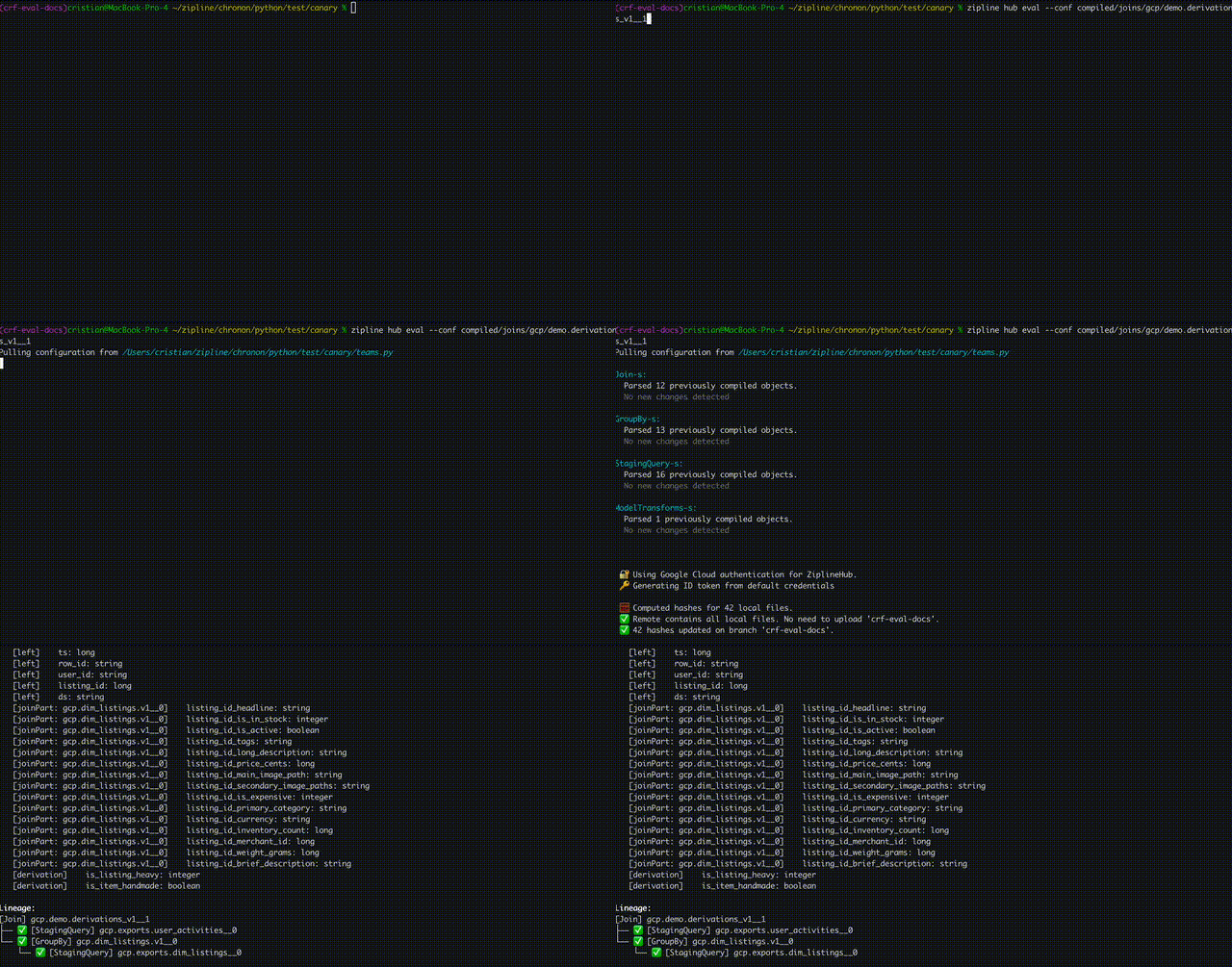
Testing with Sample Data
For deeper validation, provide sample data to see actual computation output:
# 1. Generate a test data skeleton
zipline hub eval compiled/joins/{team}/{your_conf} --generate-test-config

# 2. Fill in test-data.yaml with sample data (use !epoch for timestamps)

# 3. Run eval with test data
zipline hub eval compiled/joins/{team}/{your_conf} --test-data-path test-data.yaml
This will show you the actual computed results with your sample data, helping you validate:
- Complex aggregations and window functions
- Derivation logic with concrete examples
- Join key matching behavior
- Null value handling
Backfill
zipline hub backfill compiled/{group_bys|staging_queries|joins}/{team}/{your_conf} --start-ds {YYYY-MM-DD} --end-ds {YYYY-MM-DD}This will give you a URL to track the progress of your backfill.
--start-ds and --end-ds also accept sub-daily partitions. Daily inputs are
sent to Hub as YYYY-MM-DD; sub-daily inputs are normalized to YYYY-MM-DD-HH-mm. These forms are equivalent:
--start-ds 2024-01-15-03 --end-ds 2024-01-15-06-30
--start-ds "2024-01-15 03:00" --end-ds "2024-01-15T06:30"
--start-ds "2024/01/15 03:00:00" --end-ds "2024-01-15-06:30"
Partition values must validate as real dates and times. Second precision is only
accepted when seconds are 00, because Chronon partitions are minute-aligned.
For authoring semantics, see Schedules.
You can also see your previously run jobs in the home page of the Zipline Hub UI.
Generally, it's suggested to run a small range of data first to perform validation, then proceed with the entire desired range.
Once the job is complete you can query your table to see the computed data (note the table name is in the overview section of the Zipline Hub UI for convenience).
If you wish to re-run a given range that is already marked as completed, then you'll also need to pass the --force-recompute flag. This can be used when you made a change that you wish to take effect, or when upstream data has changed and you wish to propogate the change to Chronon output.
(Optional) Schedule
Running schedule from a branch will tell Zipline to run the regular jobs associated with your config.
Note: All configs on the main branch are automatically scheduled. You only need to run schedule manually from a branch if you want to schedule runs on a config without merging it to main.
This is helpful when you want to run an extended A/B test or experiment with the data pipeline. However, if you want to skip this step you can deploy the config to production simply by merging your PR.
zipline hub schedule compiled/{group_bys|staging_queries|joins}/{team}/{your_conf}This will run:
- Frontfill jobs into the output table (if the
offline_scheduleargument is set on your entity) - Batch upload jobs for serving (if
online=True) - Streaming jobs (if a topic is configured for the
GroupBybeing scheduled)